Internal Documents
Internal documents are documents of the organization that are created in the course of the company's business and are not sent outside the organization.
The purpose of an internal document is to ensure structured and clear communication within the organization. Such a document is used for various internal needs and is not intended for external use.
Examples of internal documents include:
• internal policies,
• meeting minutes,
• reports,
• instructions for employees,
• internal presentations,
• notices and correspondence between departments.
Drag & Drop Function
Document List
The results list or internal document list (hitlist) shows a printout of the list of all internal documents and some of their metadata. More about document lists can be found in the chapter > Document List It allows users to quickly review, filter, and search by key metadata, such as the date received, sender, document type, and processing status. Using the document list, responsible persons can efficiently allocate tasks, monitor the progress of processing, and ensure that no document remains unprocessed or overlooked.
Document Status Colors
Records can be in various statuses throughout the processes. Basic meaning of the icons:
| Color | Meaning | Description |
|---|---|---|
| 🟢 | Completed | The document is completed |
| 🟠 | In Progress | The document is being processed |
| 🔴 | Cancelled | The document is cancelled |
| ⚪️ | Draft | A new record with all mandatory metadata |
Default Metadata Screen for Internal Documents
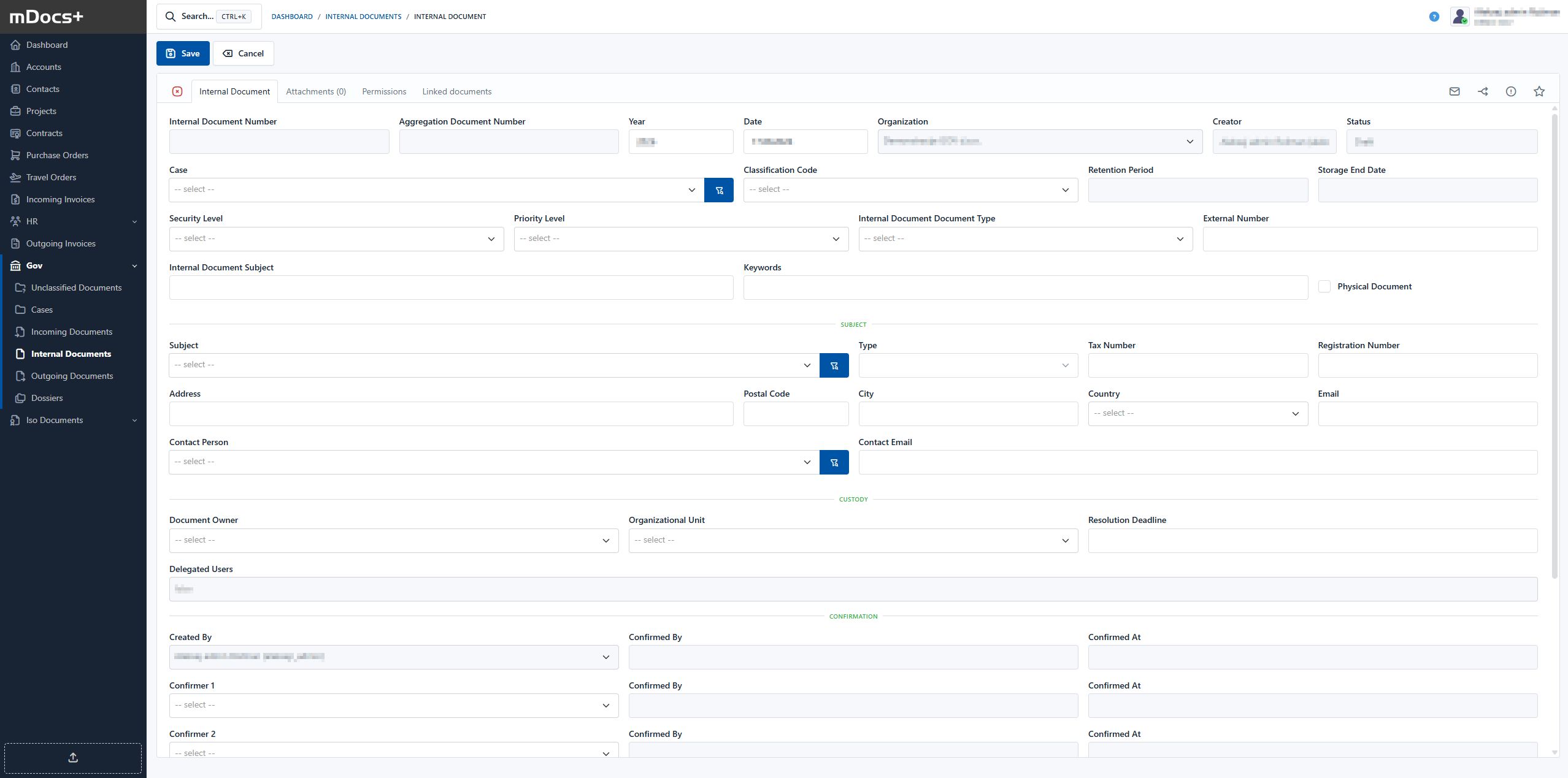
Example Process for Internal Documents
Permissions on the document are inherited from the case for the individual document. Some data is also transferred from the case to the document, and the document number within the case is determined.