Incoming Documents
The main sources of incoming documents are:
- The main office, which receives physical (paper) documents. These are then digitized either by scanning directly through the mDocs+ functionality or by importing from e-mail via dedicated mailboxes. The options for digitizing physical documents depend on your organization's configuration.
- Users' e-mail, where received documents are easily imported into the incoming documents module using the Drag & Drop functionality.
This approach enables centralized and efficient management of all incoming documents, regardless of their origin.
Drag & Drop Function
Document List
The results list or document list (hitlist) of incoming documents shows a printout of the list of all incoming documents and some of their metadata. More about document lists can be found in the chapter > Document List It allows users to quickly review, filter, and search by key metadata, such as the date received, sender, document type, and processing status. Using the document list, responsible persons can efficiently allocate tasks, monitor the progress of processing, and ensure that no document remains unprocessed or overlooked.
Document Status Colors
Records can be in various statuses throughout the processes. Basic meaning of the icons:
| Color | Meaning | Description |
|---|---|---|
| 🟢 | Completed | The document is completed |
| 🟠 | In Progress | The document is being processed |
| 🔴 | Cancelled | The document is cancelled |
| ⚪️ | Draft | A new record with all mandatory metadata |
Default Metadata Screen for Incoming Documents
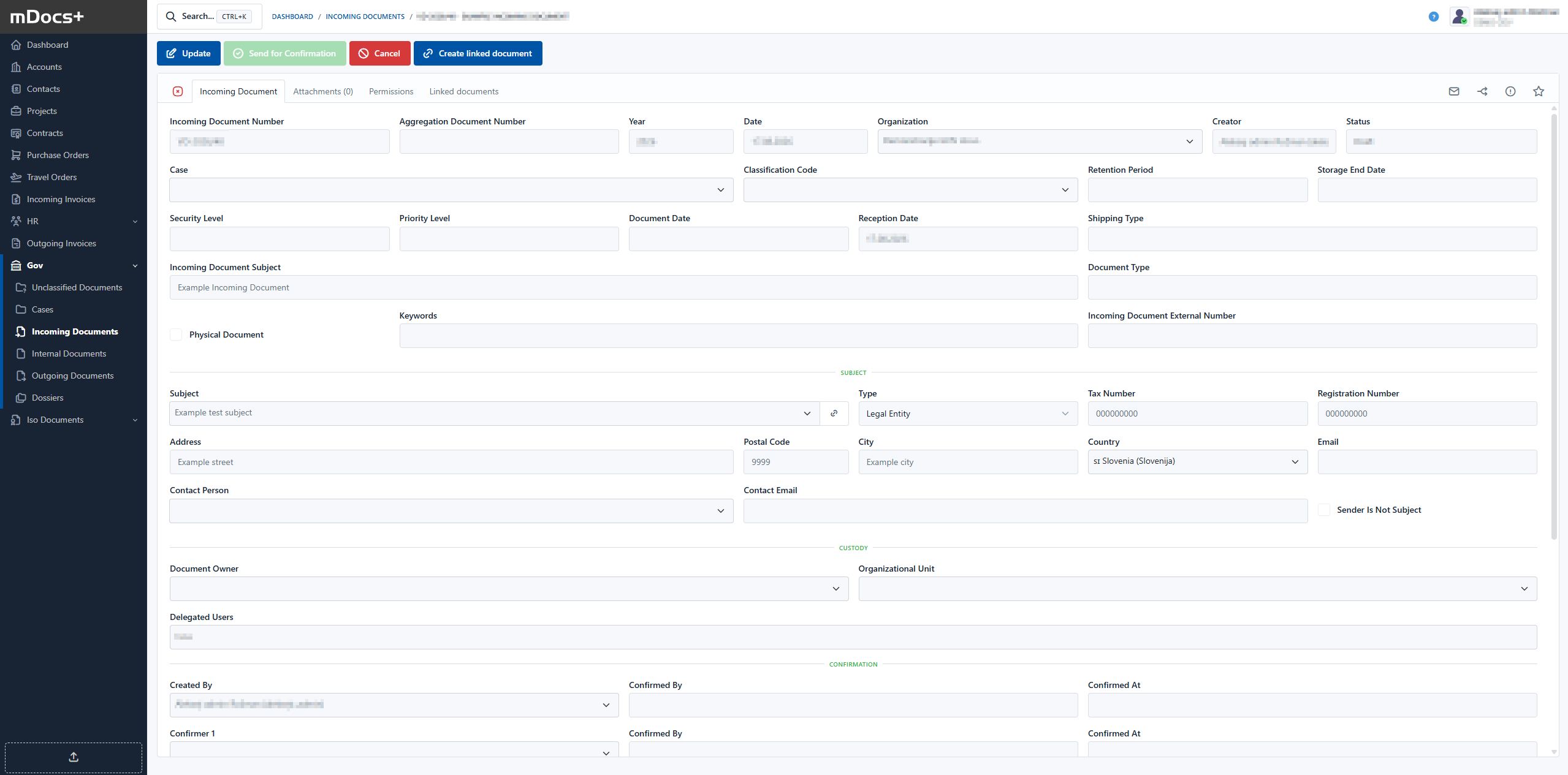
Example Process for Incoming Documents
The purpose of the incoming document process is to assign the document to the person for whom it is intended.
Permissions on the document are inherited from the case for the individual document. Some data is also transferred from the case to the document, and the document number within the case is determined.