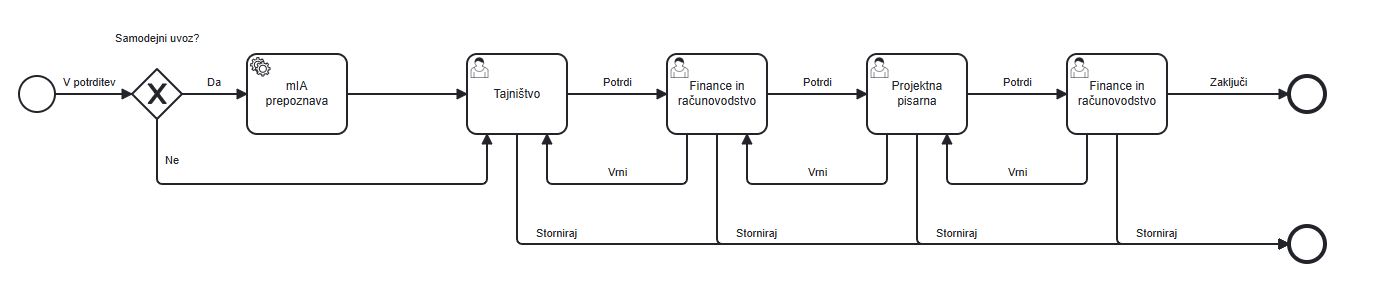
Incoming Invoices Module
The Incoming Invoices module is designed for the efficient management of incoming invoices in the system. This module makes it easy to add and view invoices and to define workflow processes for them, helping users with fast and efficient invoice approval (the settlement flow) and with processing financial transactions through integrations with the process system (ERP).
Important: The available options for the sources and methods of entering incoming invoices into the mDocs+ system depend on the configuration for your organization. The mDocs+ system offers integrated solutions for capturing physical invoices, as well as integrated solutions for the automatic entry of incoming invoices in digital form (e.g. PDF, e-Slog 2.0, and others) into the system, for example from a dedicated e-mail address set up for your organization to receive invoices.
Adding Invoices
To add a new incoming invoice to the system, follow the steps below:
- On the main page, select the
Addoption. - Enter all the required invoice information, filling in the required fields.
- Add attachments in the Attachments tab.
- Once you have entered the data, click
Saveto add the invoice to the system, or Cancel if you do not want to save the changes.
Viewing Invoices
To view incoming invoices:
- In the list of incoming invoices, select the invoice you want to view.
- Click the invoice details to display the information.
Managing Invoices
To edit or update information on an incoming invoice:
- In the invoice's detail view, click
Edit. - Change the information in the edit form. The available settings depend on the configuration for your organization.
- Once you have finished making changes, click
Saveto update the invoice information, or Cancel if you do not want to save the changes.
Document List
The results list, or document list (hitlist), of incoming invoices displays a listing of all incoming invoices and some of their metadata. More about document lists can be found in the chapter > Document List It allows users to quickly view, filter, and search by key metadata.
Document Status Colors
Records or documents can be in various statuses throughout their processes. Basic meaning of the icons:
| Color | Meaning | Description |
|---|---|---|
| 🟢 | Completed | The document is completed |
| 🟠 | In progress | The document is in the approval process |
| 🔴 | Cancelled | The document has been cancelled |
| ⚪️ | Draft | A new record with all required metadata |
Default Incoming Invoice Form
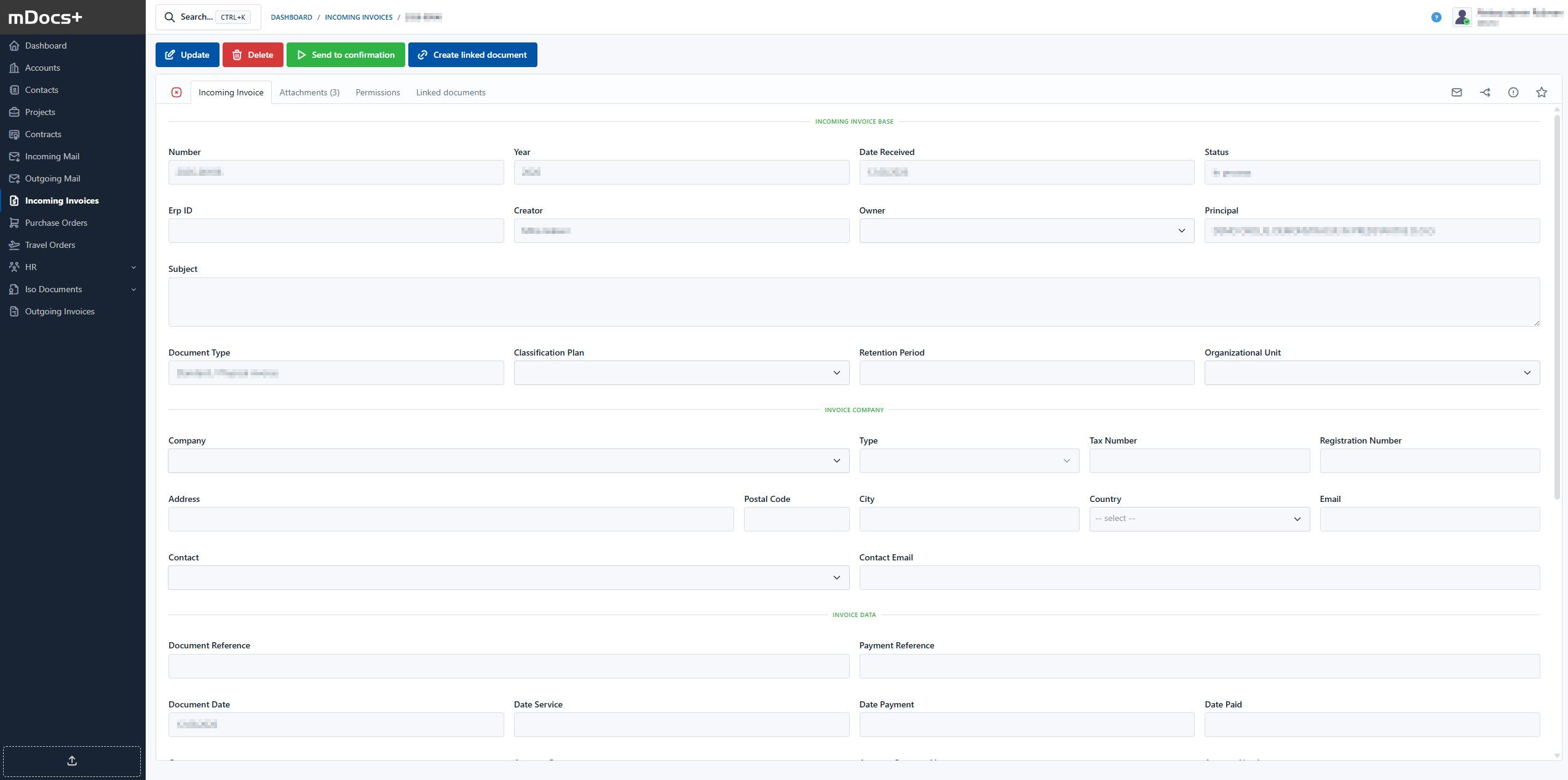
Example Incoming Invoice Process