Contracts Module
The Contracts module is designed for the centralized management of contracts in the system. It allows you to easily add, view, edit, and track contracts.
Adding a Contract
To add a new contract to the system, follow the steps below:
- On the main page, select the
Addoption. - Enter the contract details, filling in the required fields.
- Once you have entered the data, click
Saveto add the contract to the system.
Viewing Contracts
To view existing contracts and their details:
- In the list of contracts, select the contract you want to view.
- Click the contract title to display its details.
Managing Contracts
To edit or update contract information:
- In the contract's detail view, click
Edit. - Change the desired information in the edit form.
- Once you have finished making changes, click
Saveto update the contract information, or Cancel if you do not want to save the changes.
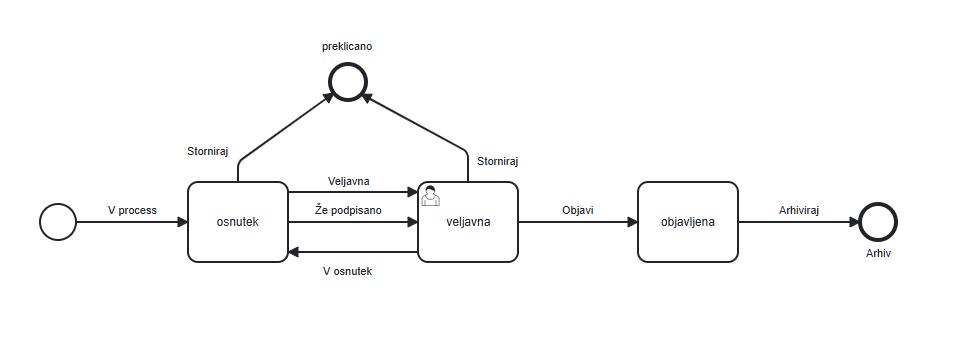
Example Contract Process