Shortcuts
Using keyboard shortcuts in mDocs+ allows the user to perform frequently used functions without needing to click with the mouse.
Accessing the list of shortcuts
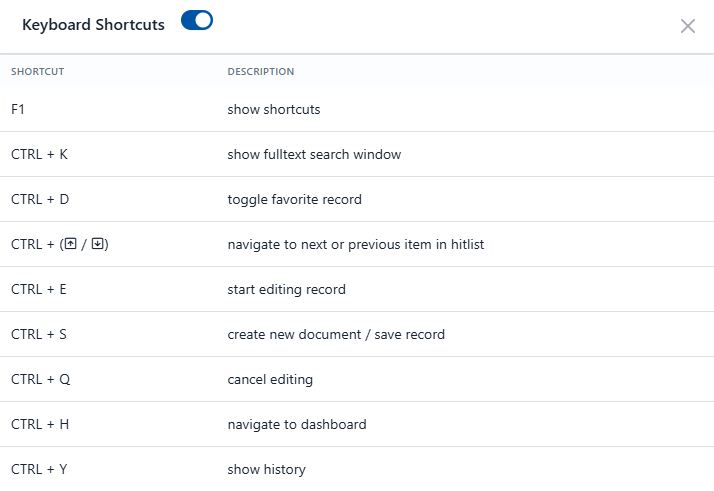
You can display the complete and always up-to-date list of keyboard shortcuts at any time by pressing the F1 key. The system will display contextual help with all available combinations for the currently active part of the application.
Disabling shortcuts
The user can disable all keyboard shortcuts, with the exception of F1, thereby avoiding unintended commands or interruptions in their work. This setting can be adjusted by the user in their personal settings.
