Account Management
On the user settings page, you can update your personal information and change your password (depending on your organization's login type).
Personal Data
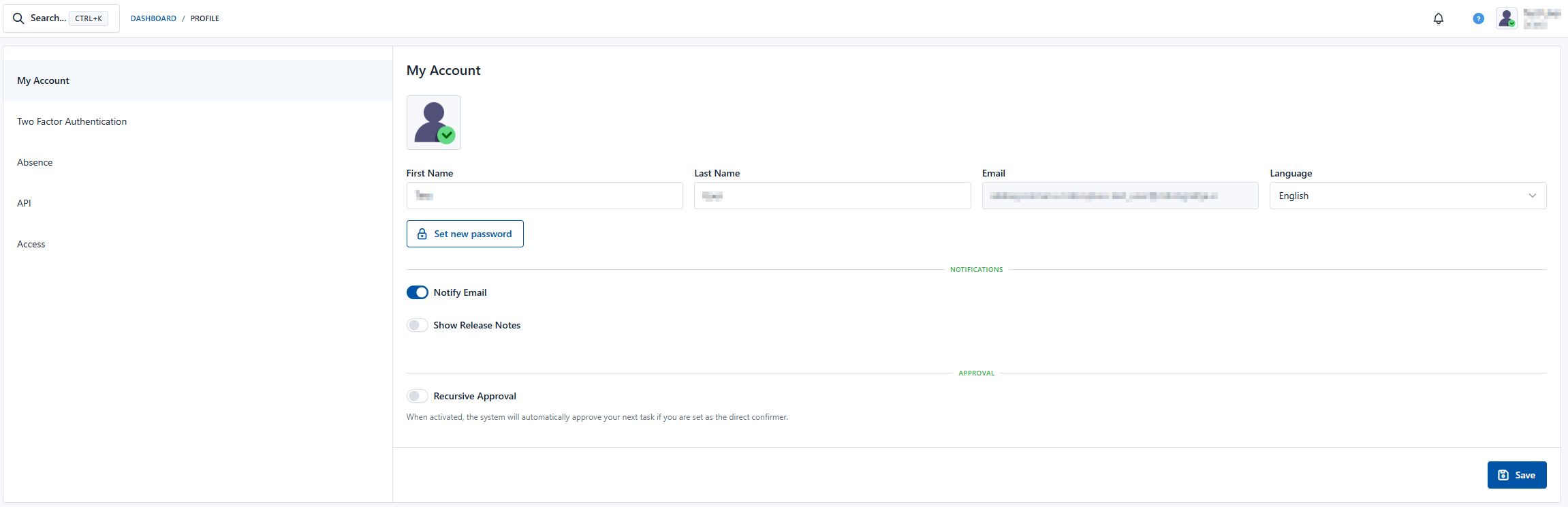
In the "My Account" section, you can view and edit the following data:
- First name: Your first name, as used in the system.
- Last name: Your last name, as used in the system.
- Email address: The email address associated with your account.
- Language: Language selection
- New password: Set a new password (this option depends on the settings for your organization)
- Notify me by email: By moving the toggle to the right, the user activates the system's email notification functionality. By moving it to the left, the user stops notifications from the system.
To edit any of these fields, click the relevant field, enter the new information, and click the "Save" button in the bottom right corner to confirm the changes.
Changing Your Password
To increase the security of your account, we recommend changing your password regularly (depending on your organization's login type):
- Click the "Set new password" button.
- Follow the instructions to choose a new password.
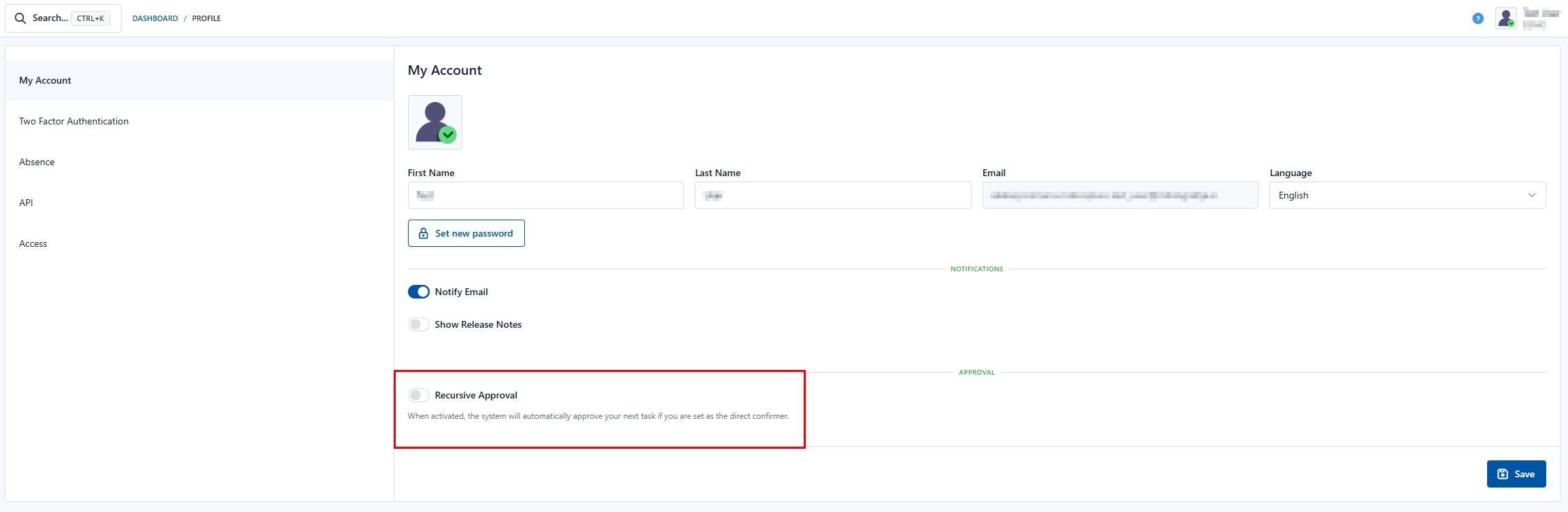
Recursive Approval
This feature allows users to approve documents faster when they appear as approvers multiple times in a row across consecutive steps.
- Enabling it: The user enables this feature independently in their profile settings (see Figure 1).
- When it applies: The feature works exclusively on steps where the logged-in user is set as the direct approver (either selected as a specific user or via their signing code).
- Note: The feature is not applied on steps where the approver is a designated group.
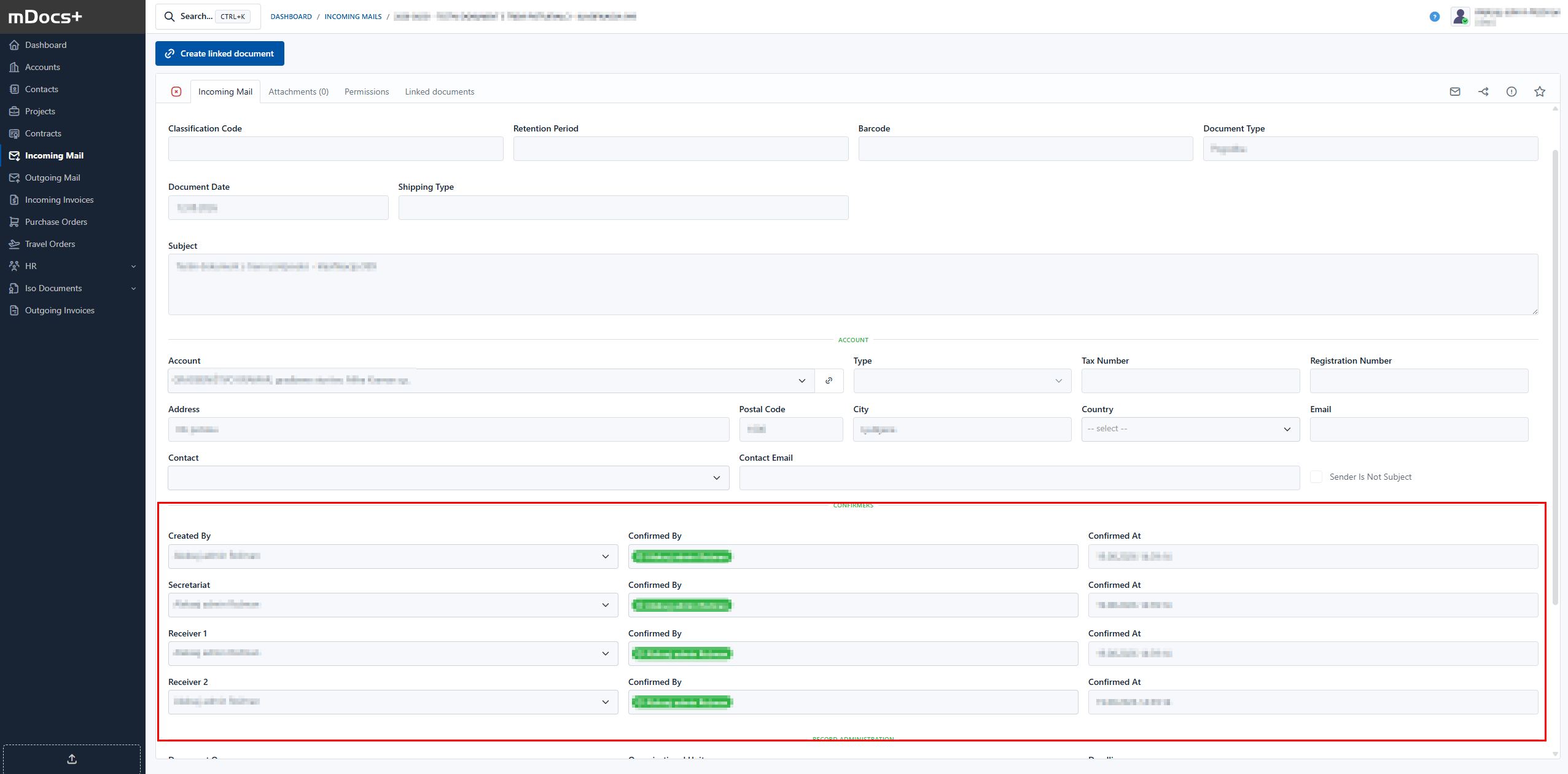
- Usage: If you have the feature enabled, clicking the "Approve" button on the current step will cause the system to automatically carry out the approvals on all directly following (consecutive) steps where you are the direct approver.
Example of use: As shown in the example below (see Figure 2), clicking "Approve" on the "Approver (technical administrator)" step automatically also carries out all intermediate approvals up to the "Director/Management board member" step.
Recursive approval is only available if it has previously been enabled at the system level.